Type to search meals
QCOM PROTOCOL WIRING
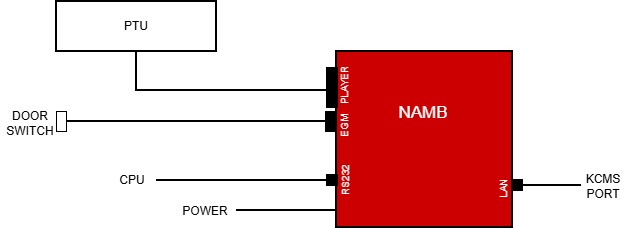
QCOM (LINK) PROTOCOL WIRING
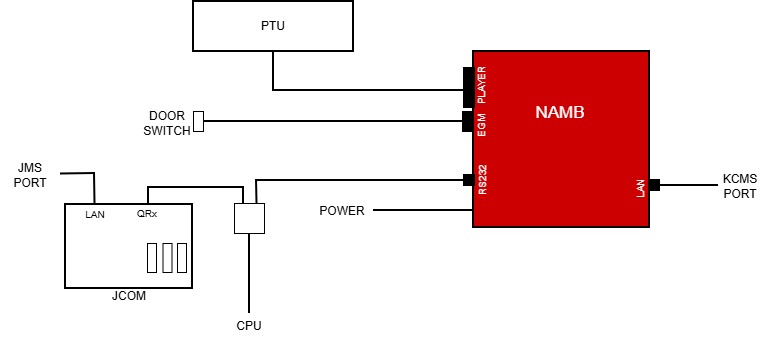
XS PROTOCOL WIRING
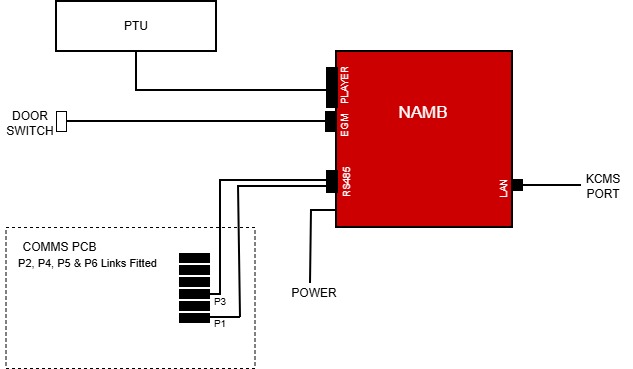
XS (LINK) PROTOCOL WIRING
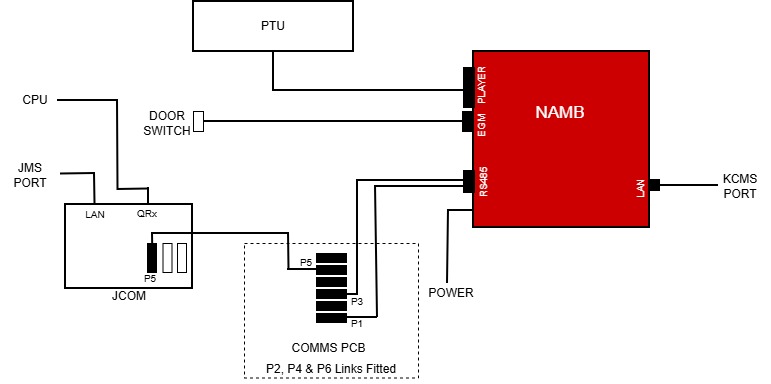
SAS PROTOCOL WIRING
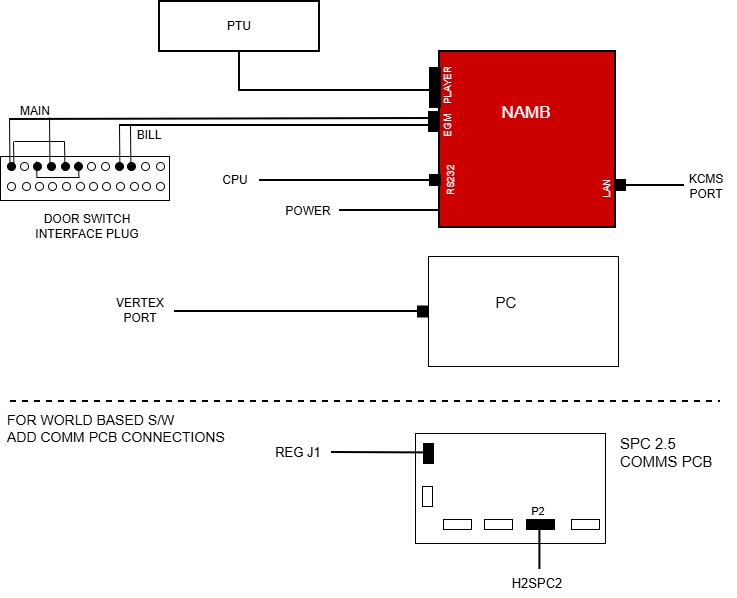
SAS (LINK) PROTOCOL WIRING

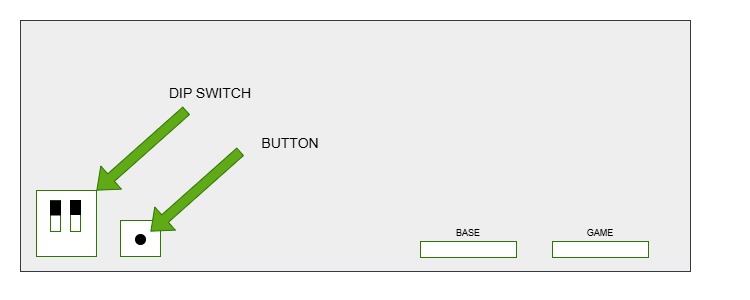
A560 RAM CLEAR
1. Set DIP swotches 1 & 2 UP
2. Reboot
3. Follow onscreen instructions
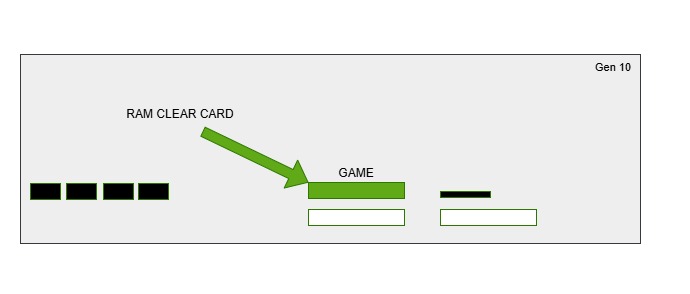
BARON RAM CLEAR
1. Remove Game card
2. Replace with Ram Clear card
3. Boot with cage open
4. Follow onscreen instructions
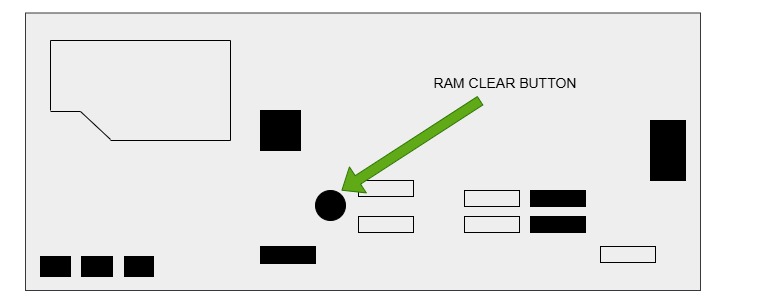
IGT PEAK RAM CLEAR
1. Open cage and reboot
2. Hold button when prompted
3. Ram Clear
4. Follow onscreen instructions
IGT CRYSTAL RAM CLEAR
LOAD SOFTWARE
1. Insert INSTALL USB as shown below
2. Reboot with cage open
3. Follow onscreen instructions
4. When completed remove INSTALL USB
5. Insert KEY USB into Backplane
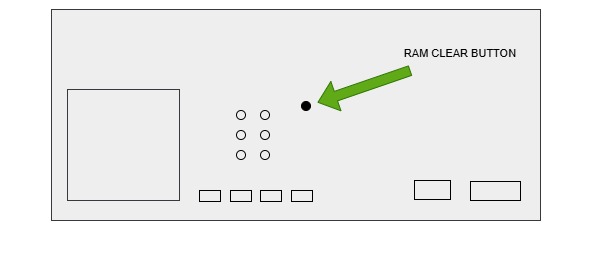
RAM CLEAR
1. Open cage and reboot
2. Hold button when prompted
3. NVRam Clear
4. Follow onscreen instructions
HELIX RAM CLEAR
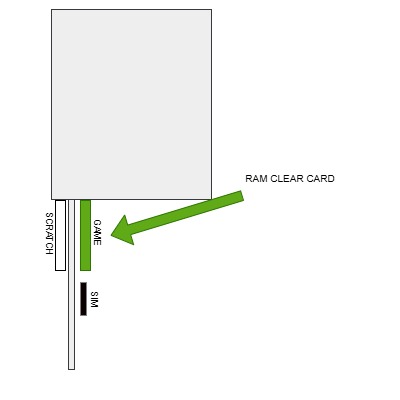
1. Remove Game Card
2. Replace with Ram Clear Card
3. Reboot with cage open
4. Follow onscreen instructions
MARS X RAM CLEAR
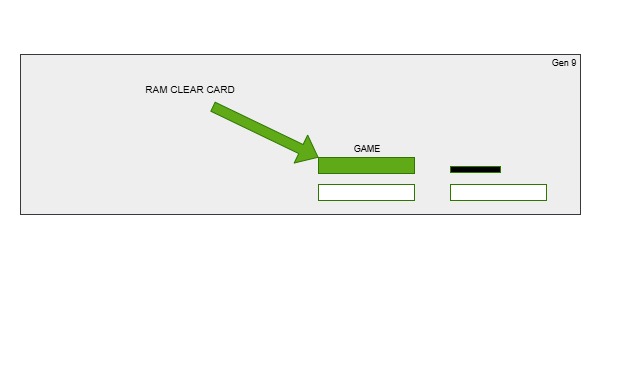
1. Remove Game card
2. Replace with Ram Clear Card
3. Reboot with cage open
4. Follow onscreen instructions
DUALOS X RAM CLEAR
FACTORY RESET
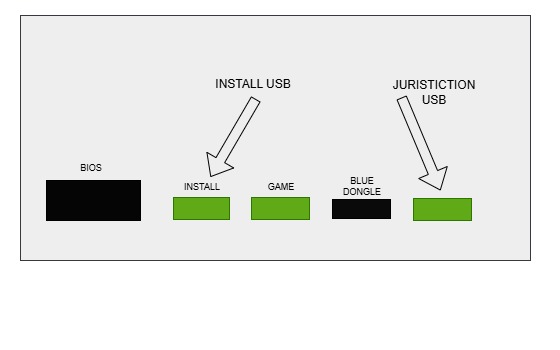
1. Insert BIOS, INSTALL USB & Blue dongle
2. Reboot with cage open
3. Select FACTORY RESET
4. Insert GAME + JURISTICTION USB
(all USBs)
5. INSTALL all modules
6. Clear NVRAM
7. Remove INSTALL, GAME & JURISTICTION USB's
(only bios + blue dongle fitted)
RAM CLEAR
1. Reboot with cage open
2. RAM CLEAR
3. Follow onscreen instructions to setup
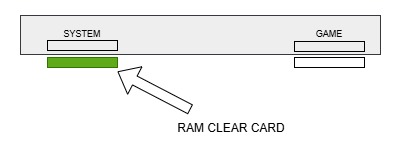
CONCERTO RAM CLEAR
1. Insert Ram Clear Card
2. Reboot with cage open
3. Follow onscreen instructions
KASCADA RAM CLEAR
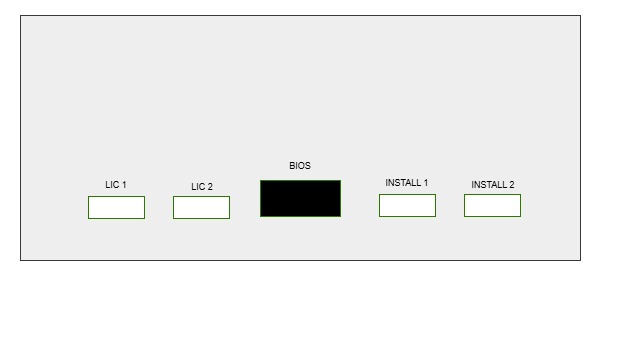
FACTORY RESET
1. Fit Game, Lic, INSTALL, Juristiction USB's + BIOS
(fit all!)
2. Reboot with cage open
3. Select FACTORY RESET
4. Remove all except Lic USB & BIOS
RAM CLEAR
1. Reboot with cage open
2. Follow on screen instructions
DIMENSION RAM CLEAR
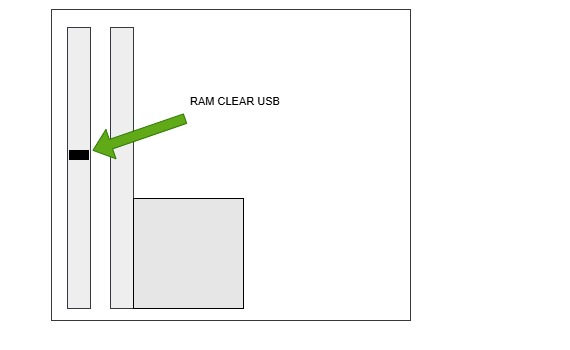
1. Insert Ram Clear USB into I/O pcb
2. Reboot with cage open
3. Follow on-screen instructions
BNA ERROR LEDS
GREEN LED: OFF
RED LED: FLASHING
JCM IDE 003 (BLUE)
1 FLASH
Stacker Full
STACKER
2 FLASH
Mech Fault
STACKER
3 FLASH
Trans Jam
BNA
4 FLASH
Jam
BNA
5 FLASH
Motor Speed
BNA
6 FLASH
Motor Fault
BNA
7 FLASH
Sensor Err
BNA
8 FLASH
Comms Err
BNA
9 FLASH
Anti Pull
BNA
10 FLASH
Stkr Sensor
RESEAT
11 FLASH
ICB Err
BNA/STKR
12 FLASH
Move Sensor
BNA
13 FLASH
Center Mech
STACKER
14 FLASH
Center Flt
STACKER